Archive for July, 2009

Jul
26

Retail Computer Special - Deal or Money Pit?

Launch Pad News 2 comments

In today’s commoditized computer market there is a serious pricing war on desktop and notebook computers.  Everywhere you look there is a computer for $299 or a laptop for $429. Wow that is a great price.  In fact, just this week Wal-Mart announced a $299 notebooks special.  All of this sounds appealing.  However, the question business users need to ask is, “Will this computer work for your business”;  In many cases the answer is a resounding, “NO”.

There are a limited number of manufactures that actually produce the parts that are used by all name-brand computers.   So from a hardware perspective, the playing field for workstation and notebook hardware is not very divers.  Low priced computers use lower quality parts such as the bare minimum hard drive, memory and Windows version for each system.  For business purposes a computer will need to have either Windows XP Professional, Windows Vista Business or Ultimate. These versions of Windows will easily bring the price of a computer up several hundred dollars.  Very important to note:  Almost all bargain PCs are using home versions of XP or Vista.

Continue Reading >>

  • Share/Save/Bookmark
Jul
26

RevITup™ How-To Series: Managing your Inbox

IT Solutions - Get Mobile, Launch Pad News, RevITup Business Care Client Forum, Small Business Web Strategies No comments

1. Checking email

Don’t check you email every minute. With all of us connected to the internet 24×7x365, it can be difficult not to answer a quick email. However, this breaks your train of thought and interrupts usually more import action items. Get in the habit of checking your email only a couple of times during the day, unless you are EXPECTING an important email. Remember not all emails require an immediate response.  This will not only help you manage your emails, but your time as well.

Continue Reading >>

  • Share/Save/Bookmark
Jul
26

RevItup™ How-To Series: Searching The Launch Pad Online Store

Launch Pad News No comments

Did you know The Launch Pad has over 650,000 technology products available at corporate pricing you can take advantage of?

Here’s an overview of ways to best use this resource.

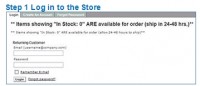
Step 1. Log in to the store


Continue Reading >>

  • Share/Save/Bookmark
Jul
26

The Launch Pad #38 of Tampa Bay Fast 50

Launch Pad Franchise Forum, Launch Pad News No comments

The Launch Pad was honored as the 38th fastest growing, privately held company in the Tampa Bay Area at The Tampa Bay Business Journal’s Fast 50 Awards luncheon.  Company rankings were announced to a  spirited and suspense-filled crowd of the area’s brightest and most talented business professionals.  Rankings were based on annual sales growth over the past three years. 

CEO and Launch Pad President, Ilene Rosoff noted, “I think this year represents a kind of milestone for me and The Launch Pad.  A number of very exciting changes are coming to fruition including our upcoming plans for a franchise launch.  We are thrilled to be named one of the Tampa Bay Business Journal’s Fast 50.  It is a testament to the efforts of our very talented and dedicated team.” 

The secret sauce to The Launch Pad’s success is our ability to navigate the challenges experienced by the technology industry and implement important new technologies, such as managed IT services, professional services, and web services, enabling our clients to optimize their technology systems, consolidate their service providers, and better run their businesses.  By streamlining the way managed services are delivered,  incorporating more efficient technology tools for cost reduction, and developing programs that benefit area businesses and the community, we have been able to take technology management to the next level for our partners.

  • Share/Save/Bookmark
Jul
26

RevITup™ How-To Series: LiveConnect™ Client Portal Use

RevITup Business Care Client Forum, Small Business IT Management No comments

Welcome to The Launch Pad “How-To Series”. Our LiveConnect™ Online Support Portal.  With the support portal, our clients have instant access to our enhanced online ticketing system, executive management reports, a personalized knowledge base, invoice history and configurable member access.  Not only can you create and track service requests in real time with automated status updates, but you can search your personalized support knowledge base with step-by-step resolutions to your support requests created by our expert help desk team.  

Here is how it works:

1 ) A support login exists on the top left of each page of our website,  www.launchpadonline.com. You will see a LiveConnect Client Portal Login link under the blue “Contents menu bar as shown here.  You can also login here and save the link to your favorites, www.revitupnow.com/support.

Continue Reading >>

  • Share/Save/Bookmark