Archive for September, 2009

Sep
28

The Launch Pad CEO Ilene Rosoff Named to List of Most Influential People In Managed Services Industry

Launch Pad News No comments

The Launch Pad CEO Ilene Rosoff has been named in the 250 most influential people in the managed services industry by MSPmentor.  The MSPmentor 250 is an annual executive report produced by MSPmentor and Nine Lives Media Inc., a parent company of MSPmentor. The annual list showcases the people who are the influencing and shaping the future of the industry.

  • Share/Save/Bookmark
Sep
28

Launch Pad CEO, Ilene Rosoff Celebrates at the Inc. 500/5000 Gala Awards

Launch Pad News No comments

The Launch Pad CEO, Ilene Rosoff attended Inc. Magazine’s gala awards ceremony celebrating the Inc. 500/5000,  America’s fastest-growing privately held companies.  In an effort to highlight the extraordinary people and organizations on the list, Inc. throws an extravaganza in Washington, D.C. to acknowledge their amazing achievements. It was a beautiful event with many inspiring speakers. Ilene had the distinct pleasure of sitting at the Inc. editor’s table.   Accompanying Ilene for the evening was her mother, Estelle Rosoff, who was celebrating her birthday.  The Launch Pad is proud to be awarded such a coveted spot on the Inc. 5000 list and it was an honor for Ilene to be among such a dynamic group of entrepreneurs.

  • Share/Save/Bookmark
Sep
27

Windows 7: Is My Hardware Ready - (part 6 of 7 part series)

Launch Pad News No comments

Windows 7 represents the first update to the PC OS that does not require more advanced machines to run than prior versions.  Windows 7 represents a kind of “user-driven upgrade that breaks the link between PC OS and PC Hardware upgrade cycles for the first time in the history of the PC.  The hardware requirements for Windows 7 are actually slightly lighter than Windows Vista. 

A great place to start in reviewing your current PC’s capabilities is to download the hardware advisor and run it on PCs that you want to upgrade (or have your IT company do this.  Also, keep in mind in terms of upgrading, you will need either Windows 7 Professional or Ultimate to run properly in a domain-based network environment.  If you are purchasing a new unit in the near future that does not come with 7 preloaded, then check for free Windows 7 upgrade availability.  Microsoft’s website lists manufacturer’s and links to selected notebooks and desktops that qualify for a Windows upgrade to 7 based on when you bought the unit. 

However, the cost of the OS is not the only factory to consider when deciding if you will be upgrading existing hardware.  If you are working with an IT company, there is usually time involved in these upgrades, applications to reinstall and possible compatibility issues with existing software or hardware peripherals such as scanners or printers.  All of these items should be factored into both the decision to upgrade and the choice on which hardware you will replace.  Your IT service provider should be able to help you with an accurate cost analysis of the project to see what makes the most sense

  • Share/Save/Bookmark
Sep
27

10 Good Reasons to Move to Windows 7 - (part 5 of 7 part series)

Launch Pad News, Small Business IT Management, TechRecs: Cool Tools & Hot Topics No comments

Microsoft  has learned some hard lessons from Vista and promises that Windows 7 will address the myriad of reasons users have given for lingering with Windows XP.  Knowing that some may still be reluctant to make the move from XP, here is a list of ten of the top reasons to move to Windows 7.

1. Virtual XP Mode:
Many users and businesses have held back on upgrading Windows XP as many older Line of Business programs would not function on Windows Vista. Enter Virtual XP Mode, the problem solver for those who have been holding on to their precious  XP systems. A virtual XP Machine can reside right on your Windows 7 machine, accessible like any other program on your desktop.

2. Fast install time, Faster boot, and Faster User Interface:
Installation time for Windows 7 is roughly 15 minutes from start to finish. The boot time is faster than both XP and Vista, and the User Interface, moving from window to window,  is much faster than XP and Vista. Continue Reading >>

  • Share/Save/Bookmark
Sep
27

Windows 7: Legacy Applications - Here We Go Again (part 4 of 7 part series)

Launch Pad News, RevITup Business Care Client Forum, Small Business IT Management, TechRecs: Cool Tools & Hot Topics No comments

In IT the term “legacy” crops up every once in a while.  Once used to loosely define applications that ran on mainframes, as/400’s, etc; legacy applications now have a new definition. Legacy applications, in terms of Windows programs, are any application that will not run in Windows 7 native.

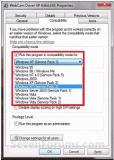
Windows 7 now includes a novel workaround to this problem - Virtualization. Windows 7 will include the ability to virtualize a Windows XP OS session and pass the information back to the user seamlessly. What does that mean for you? What do you really mean by seamless? Seamless means once the XP Compatibility Mode has been setup for an application you will simply click on the icon for the program and it will launch in Windows 7’s improved Aero interface, but the “engine under the hood” is that of Windows XP. This allows you to gain the added benefits of switching to Windows 7, Microsoft’s greatest OS to date, while keeping your tried and true applications functioning.

Continue Reading >>

  • Share/Save/Bookmark