Receive expert IT advice, money-saving tips and informative articles on
computer, web and IT solutions simplified for non- technical, small business owners and managers.
Choosing Our Vendor Partners
When we choose vendors to partner with and recommend, we have a fairly rigorous selection process. We look not only for the
best-in-breed but companies that will offer the best support to you. With specialty products or services, we usually select one key partner in each
category to focus on and recommend. How does this benefit you? Better Pricing
Hands-on experience from us Our focused expertise Strong vendor relationships Single point of support/service
Free Network Evaluation: let
us show you how to save money, automate workflow and improve your organization's productivity.
The Benefits: Most likely if you have more than 2 or 3 people in your organization you can benefit from a network
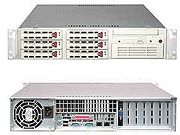
with a dedicated server and workstations. So what exactly does that mean? In its most basic form, it means one specialized PC (a server) is dedicated to securely
storing and sharing files for users on the network. To protect your data, it is standard practice to install a tape backup drive to make scheduled data backups.
Typically, the server runs a specialize operating system such as Microsoft Small Business Server 2003. In order for these devices to talk to one other
you'll also need a switch where everything is plugged in to. You might have a printer or two attached as well for shared printing. With the Internet in the mix,
you'll also need a router that provides a bridge from your Internet provider to your network so everyone can access the web. You can also add wireless
capabilities into the mix by adding a wireless router. That in a nutshell is a basic network. Of course, it can get very elaborate from there.